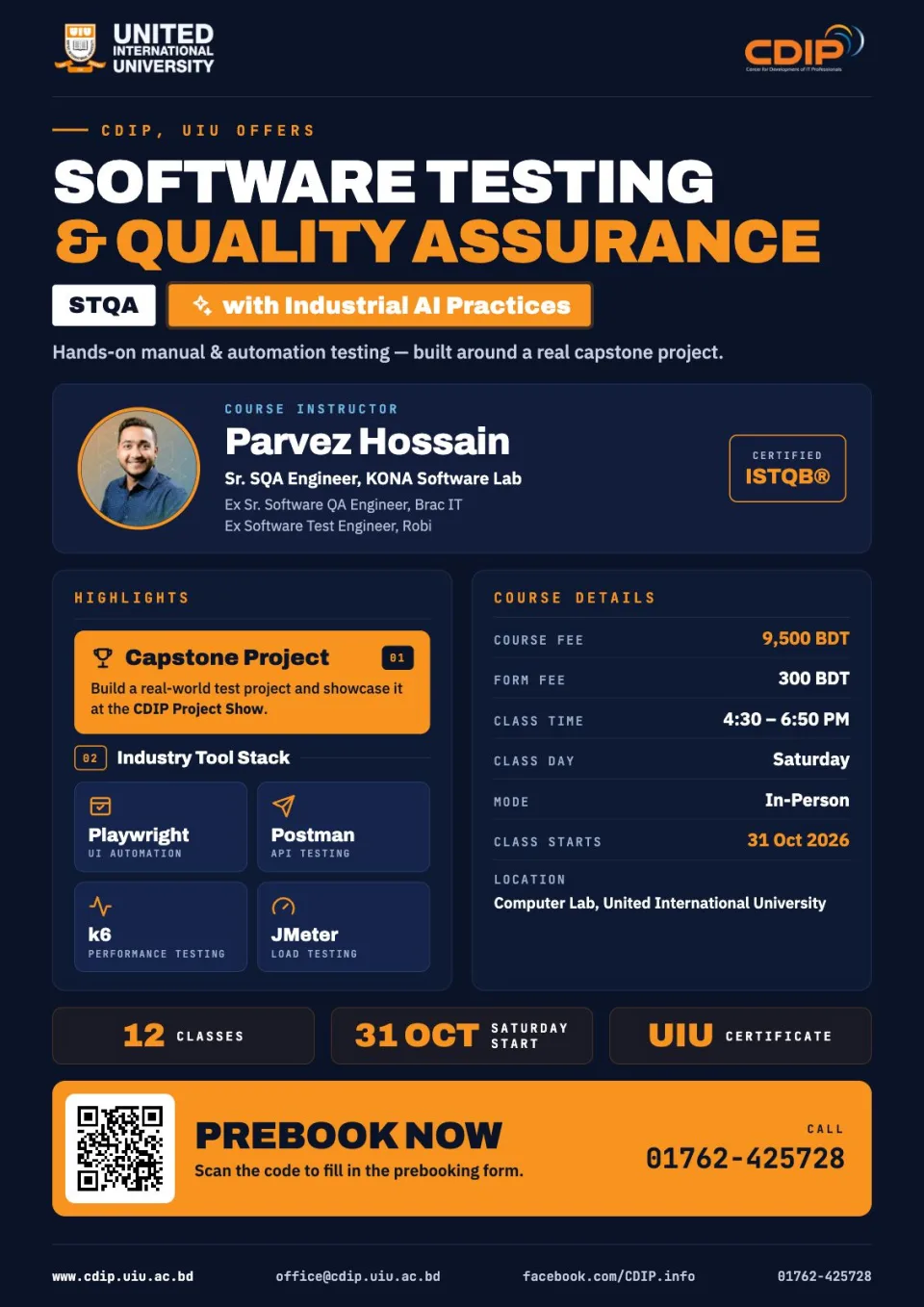
Software Testing & Quality Assurance with Industrial AI Practices
Equips participants with the skills for both Manual and Automation Testing, focusing on industry tools like Selenium, JMeter, Postman, Appium, and SQL.
AI philosophy for this batch:
AI (ChatGPT, Claude, GitHub Copilot/Cursor) is introduced from Class 1 as a daily QA co-pilot, not a separate topic bolted on at the end. Every module pairs a manual/foundational skill with the AI-accelerated version of that same skill, so students leave each class able to do the task both ways and know when to trust AI output versus verify it manually.
Project-based learning:
Real project automation begins in the very first automation class (Class 5), not at the end. By the close of the Automation module, every student has two complete, GitHub-hosted automation projects spanning two different business domains — an E-commerce application and an HR/Recruitment Software application — so they leave with automation portfolio pieces from day one of the automation track
Accelerate your career in STQA with AI practical and industry-focused course.
Module 1: Manual Testing Foundations & AI in QA (Classes 1–4)
Class 1 — Software Testing Fundamentals & AI-Powered QA
Concept (50 min):
• SDLC & STLC overview
• Functional vs Non-Functional Testing
• QA career roadmap
• Introduction to AI in Software Testing
• landscape of AI tools for QA (ChatGPT, Claude, GitHub Copilot/Cursor)
Practical (100 min):
• Set up AI tool accounts
• Prompt-writing fundamentals for QA use cases
• Use AI to summarize a sample requirements document and brainstorm test scenarios from it
• Group exercise comparing AI-suggested scenarios against manual analysis
Class 2 — Test Case Design with AI-Assisted Techniques
Concept (50 min):
• Test case components and structure (Excel/TestRail)
• Positive & Negative test cases; Boundary Value Analysis
• Equivalence Partitioning.
Practical (100 min):
• Write test cases manually for a sample application
• Generate/expand test cases from the same requirements using AI
• Critically compare, correct, and merge the manual and AI sets
• TestRail hands-on entry
Class 3 — Bug Reporting & AI-Enhanced Test Management
Concept (45 min):
• Bug life cycle
• Bug Severity & Priority
• Requirement Traceability Matrix (RTM)
• Test Plans
• Jira & Confluence overview.
Practical (105 min):
• Log real bugs in Jira
• Use AI to rewrite bug reports for clarity and reproducibility
• Build an RTM for the sample application
• Use AI to draft a test plan section and Confluence documentation, then review/edit for accuracy
Class 4 — Database Testing with AI-Assisted SQL
Concept (45 min):
• Introduction to databases
• SQL fundamentals
• Database validation testing approach
Practical (105 min):
• MySQL hands-on queries
• Use AI to generate and optimize SQL validation queries against a sample schema
• Real-project database testing exercise combining manual query-writing with AI-assisted query review
Module 2: Automation Testing with Playwright & JavaScript (Classes 5–8) JavaScript is taught inline as students build Playwright scripts — no standalone JS classes. Real project automation starts in Class 5: by the end of this module, every student has two complete, GitHub-hosted automation projects across two domains — E-commerce and HR/Recruitment Software.
Class 5 — JavaScript & Playwright Fundamentals — Project 1 Kickoff (E-commerce)
Concept (55 min):
• JavaScript essentials for automation — variables, conditions, loops, functions, arrays & objects — taught through live Playwright examples rather than standalone exercises; Playwright setup, project structure, locators, assertions Practical (95 min):
• Set up the Project 1 automation framework for an E-commerce application
• Write the first automation scripts (login, product search, add-to-cart) applying each JS concept directly inside Playwright
• AI-assisted locator generation — this is the seed of the E-commerce project that continues through Class 8
Class 6 — Advanced JavaScript for Automation & Page Object Model — Project 1 Continues
Concept (50 min):
Async/Await and error handling in a Playwright/JS context; Page Object Model (POM); reusable components; test data management
Practical (100 min):
• Refactor the Project 1 (E-commerce) scripts into a POM framework
• Add more test scenarios — checkout flow, form validation, negative cases — using async/await
• AI-assisted test script creation and code review
Class 7 — Project 1 Completion (E-commerce) & Project 2 Kickoff (HR Software) — Checkpoint 1
Concept (45 min):
• Data-driven testing; parallel execution; reporting;
• GitHub version control
• Automation best practices
Practical (105 min):
• Finalize Project 1 (E-commerce) — data-driven tests, HTML reporting, push to GitHub; Project 1 is now a complete, demonstrable automation suite
• Kick off Project 2 in a different domain (HR/Recruitment Software), reusing the POM patterns from Project 1
• AI-assisted framework scaffolding for the new domain
Class 8 — Project 2 Completion (HR Software) & Automation Best Practices — Checkpoint 2
Concept (45 min):
Code review practices; reusable vs. domain-specific framework design; consolidating automation best practices across both projects
Practical (105 min):
• Complete the Project 2 (HR Software) automation suite — candidate/employee workflow scripts, data-driven tests, reporting
• Peer code review; upload to GitHub
• AI-assisted test maintenance and self-healing tests
• Checkpoint — both Project 1 (E-commerce) and Project 2 (HR Software) are complete, GitHub-hosted automation projects ready to show employers.
Module 3: API Testing & Automation (Class 9)
Class 9 — API Testing with Postman & Playwright, AI-Accelerated
Concept (55 min):
REST API concepts; HTTP methods; status codes; authentication & authorization; Postman collections
Practical (95 min):
• Build Postman collections and automation scripts (Collection Runner, environment variables)
• Automate the same API in Playwright; extend the Project 1 (E-commerce) suite with API-level coverage
• Use AI to generate API test cases from an API spec/documentation and to scaffold Playwright API test code
Module 4: Performance Testing (Classes 10–11)
Class 10 — Load Testing with JMeter
Concept (50 min):
• Performance testing fundamentals
• Load testing concepts
• JMeter setup
• Thread Groups; Assertions
Practical (100 min):
• Build and run JMeter load test scripts against a sample application
• Analyze results
• Use AI to help interpret load test results and flag likely bottlenecks
Class 11 — Load Testing with K6
Concept (45 min):
JavaScript basics for K6, reusing the JS skills built in the Automation module; K6 script writing; Virtual Users
Practical (105 min):
• Write and run K6 load test scripts
• Use AI to generate K6 scripts from a test scenario description and to analyze performance results and flag bottlenecks
• Assignment: run a load test against one of the two project applications built in Classes 5–8
Module 5: Career Preparation & Placement (Class 12)
Class 12 — CV, LinkedIn & AI-Powered Interview Preparation
Concept (45 min):
• QA Engineer CV structure
• LinkedIn profile optimization
• Job-search strategy
• Overview of interview question categories (Manual, Automation, API, Performance, AI-in-QA)
Practical (105 min):
• Use AI to draft and refine a tailored CV and LinkedIn summary from each student's own project work
• AI-run mock interview practice across all five categories, with instant feedback on answers
• Peer mock-interview round using AI-generated question banks
• Wrap-up review of the two GitHub-hosted automation projects from Classes 5–8 (E-commerce & HR Software) plus the API and performance work from Classes 9–11, ready to showcase to employers
• Industry experience sharing and Q&A
Who this course is for
- Students & Graduates preparing for a Software Testing career.
- Professionals enhancing testing skills.
- Entrepreneurs ensuring high-quality software products.
How the course works
- Industry Expert Trainers
- Continuous CV Development & Interview Preparation
- UIU Certification
- Flexible Schedule
- Placement Opportunity: Over 20 students secured jobs before completing the course.
Course outline
1Week 1: Testing fundamentals
- SDLC and STLC Overview
- Types of Testing (Functional vs Non-Functional)
- Career Path in Software Testing
- Guideline to Learn Java Programming
Goal: Prompting basics, AI-assisted requirement analysis
2Week 2: Test case design
Goal: AI-generated test cases vs. manual, critical comparison
3Week 3: Bug reporting & test mgmt
Goal: AI-refined bug reports, AI-drafted test plan/docs
4Week 4: Database Testing
Goal: AI-generated & optimized SQL queries
5Week 5: JS & Playwright fundamentals — Project 1 (E-commerce) start
Goal: AI-assisted locator generation
6Week 6: Advanced JS & POM — Project 1 continues
Goal: AI-assisted test script creation & code review
7Week 7: Project 1 completion & Project 2 (HR Software) kickoff
Goal: AI-assisted framework scaffolding
8Week 8: Project 2 completion & best practices
Goal: AI-assisted test maintenance / self-healing tests
9Week 9: API testing & automation
Goal: AI-generated API test cases & Playwright API code
10Week 10: Performance testing — JMeter
Goal: AI-assisted load test result interpretation
11Week 11: Performance testing — K6
Goal: AI-generated K6 scripts, AI result analysis
12Week 12: Open Discussion
Goal: Career preparation AI-drafted CV/LinkedIn, AI mock intervie
Taught by