Software Testing & Quality Assurance (Manual & Automation)
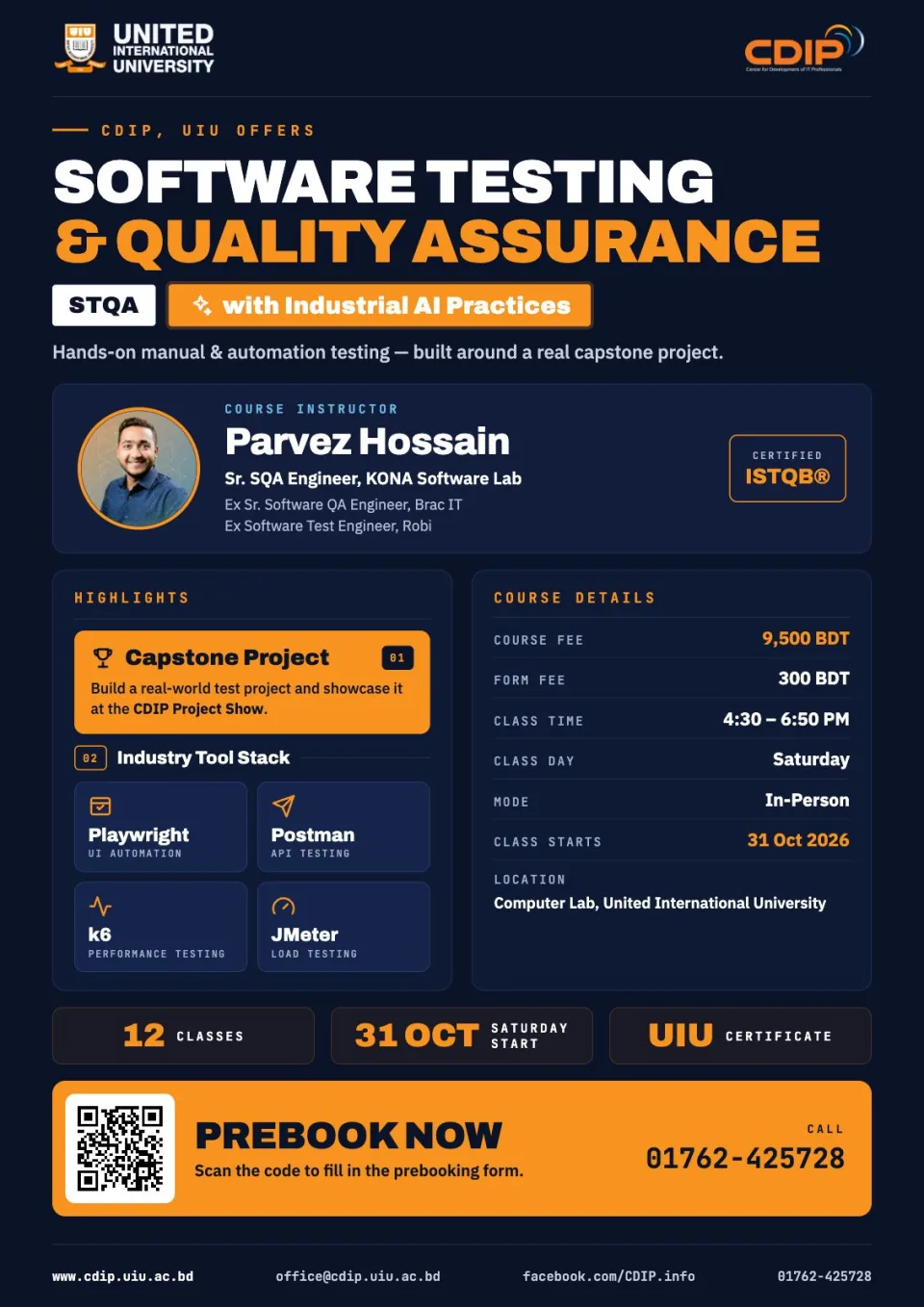
Equips participants with the skills for both Manual and Automation Testing, focusing on industry tools like Selenium, JMeter, Postman, Appium, and SQL.
AI philosophy for this batch:
AI (ChatGPT, Claude, GitHub Copilot/Cursor) is introduced from Class 1 as a daily QA co-pilot, not a separate topic bolted on at the end. Every module pairs a manual/foundational skill with the AI-accelerated version of that same skill, so students leave each class able to do the task both ways and know when to trust AI output versus verify it manually.
Project-based learning:
Real project automation begins in the very first automation class (Class 5), not at the end. By the close of the Automation module, every student has two complete, GitHub-hosted automation projects spanning two different business domains — an E-commerce application and an HR/Recruitment Software application — so they leave with automation portfolio pieces from day one of the automation track
Accelerate your career in STQA with AI practical and industry-focused course.
Module 1: Manual Testing Foundations & AI in QA (Classes 1–4)
Class 1 — Software Testing Fundamentals & AI-Powered QA
Concept (50 min):
• SDLC & STLC overview
• Functional vs Non-Functional Testing
• QA career roadmap
• Introduction to AI in Software Testing
• landscape of AI tools for QA (ChatGPT, Claude, GitHub Copilot/Cursor)
Practical (100 min):
• Set up AI tool accounts
• Prompt-writing fundamentals for QA use cases
• Use AI to summarize a sample requirements document and brainstorm test scenarios from it
• Group exercise comparing AI-suggested scenarios against manual analysis
Class 2 — Test Case Design with AI-Assisted Techniques
Concept (50 min):
• Test case components and structure (Excel/TestRail)
• Positive & Negative test cases; Boundary Value Analysis
• Equivalence Partitioning.
Practical (100 min):
• Write test cases manually for a sample application
• Generate/expand test cases from the same requirements using AI
• Critically compare, correct, and merge the manual and AI sets
• TestRail hands-on entry
Class 3 — Bug Reporting & AI-Enhanced Test Management
Concept (45 min):
• Bug life cycle
• Bug Severity & Priority
• Requirement Traceability Matrix (RTM)
• Test Plans
• Jira & Confluence overview.
Practical (105 min):
• Log real bugs in Jira
• Use AI to rewrite bug reports for clarity and reproducibility
• Build an RTM for the sample application
• Use AI to draft a test plan section and Confluence documentation, then review/edit for accuracy
Class 4 — Database Testing with AI-Assisted SQL
Concept (45 min):
• Introduction to databases
• SQL fundamentals
• Database validation testing approach
Practical (105 min):
• MySQL hands-on queries
• Use AI to generate and optimize SQL validation queries against a sample schema
• Real-project database testing exercise combining manual query-writing with AI-assisted query review
Module 2: Automation Testing with Playwright & JavaScript (Classes 5–8) JavaScript is taught inline as students build Playwright scripts — no standalone JS classes. Real project automation starts in Class 5: by the end of this module, every student has two complete, GitHub-hosted automation projects across two domains — E-commerce and HR/Recruitment Software.
Class 5 — JavaScript & Playwright Fundamentals — Project 1 Kickoff (E-commerce)
Concept (55 min):
• JavaScript essentials for automation — variables, conditions, loops, functions, arrays & objects — taught through live Playwright examples rather than standalone exercises; Playwright setup, project structure, locators, assertions Practical (95 min):
• Set up the Project 1 automation framework for an E-commerce application
• Write the first automation scripts (login, product search, add-to-cart) applying each JS concept directly inside Playwright
• AI-assisted locator generation — this is the seed of the E-commerce project that continues through Class 8
Class 6 — Advanced JavaScript for Automation & Page Object Model — Project 1 Continues
Concept (50 min):
Async/Await and error handling in a Playwright/JS context; Page Object Model (POM); reusable components; test data management
Practical (100 min):
• Refactor the Project 1 (E-commerce) scripts into a POM framework
• Add more test scenarios — checkout flow, form validation, negative cases — using async/await
• AI-assisted test script creation and code review
Class 7 — Project 1 Completion (E-commerce) & Project 2 Kickoff (HR Software) — Checkpoint 1
Concept (45 min):
• Data-driven testing; parallel execution; reporting;
• GitHub version control
• Automation best practices
Practical (105 min):
• Finalize Project 1 (E-commerce) — data-driven tests, HTML reporting, push to GitHub; Project 1 is now a complete, demonstrable automation suite
• Kick off Project 2 in a different domain (HR/Recruitment Software), reusing the POM patterns from Project 1
• AI-assisted framework scaffolding for the new domain
Class 8 — Project 2 Completion (HR Software) & Automation Best Practices — Checkpoint 2
Concept (45 min):
Code review practices; reusable vs. domain-specific framework design; consolidating automation best practices across both projects
Practical (105 min):
• Complete the Project 2 (HR Software) automation suite — candidate/employee workflow scripts, data-driven tests, reporting
• Peer code review; upload to GitHub
• AI-assisted test maintenance and self-healing tests
• Checkpoint — both Project 1 (E-commerce) and Project 2 (HR Software) are complete, GitHub-hosted automation projects ready to show employers.
Module 3: API Testing & Automation (Class 9)
Class 9 — API Testing with Postman & Playwright, AI-Accelerated
Concept (55 min):
REST API concepts; HTTP methods; status codes; authentication & authorization; Postman collections
Practical (95 min):
• Build Postman collections and automation scripts (Collection Runner, environment variables)
• Automate the same API in Playwright; extend the Project 1 (E-commerce) suite with API-level coverage
• Use AI to generate API test cases from an API spec/documentation and to scaffold Playwright API test code
Module 4: Performance Testing (Classes 10–11)
Class 10 — Load Testing with JMeter
Concept (50 min):
• Performance testing fundamentals
• Load testing concepts
• JMeter setup
• Thread Groups; Assertions
Practical (100 min):
• Build and run JMeter load test scripts against a sample application
• Analyze results
• Use AI to help interpret load test results and flag likely bottlenecks
Class 11 — Load Testing with K6
Concept (45 min):
JavaScript basics for K6, reusing the JS skills built in the Automation module; K6 script writing; Virtual Users
Practical (105 min):
• Write and run K6 load test scripts
• Use AI to generate K6 scripts from a test scenario description and to analyze performance results and flag bottlenecks
• Assignment: run a load test against one of the two project applications built in Classes 5–8
Module 5: Career Preparation & Placement (Class 12)
Class 12 — CV, LinkedIn & AI-Powered Interview Preparation
Concept (45 min):
• QA Engineer CV structure
• LinkedIn profile optimization
• Job-search strategy
• Overview of interview question categories (Manual, Automation, API, Performance, AI-in-QA)
Practical (105 min):
• Use AI to draft and refine a tailored CV and LinkedIn summary from each student's own project work
• AI-run mock interview practice across all five categories, with instant feedback on answers
• Peer mock-interview round using AI-generated question banks
• Wrap-up review of the two GitHub-hosted automation projects from Classes 5–8 (E-commerce & HR Software) plus the API and performance work from Classes 9–11, ready to showcase to employers
• Industry experience sharing and Q&A
Who this course is for
- Students & Graduates preparing for a Software Testing career.
- Professionals enhancing testing skills.
- Entrepreneurs ensuring high-quality software products.
How the course works
- Industry Expert Trainers
- Continuous CV Development & Interview Preparation
- UIU Certification
- Flexible Schedule
- Placement Opportunity: Over 20 students secured jobs before completing the course.
Course outline
1Week 1: Testing fundamentals
- SDLC and STLC Overview
- Types of Testing (Functional vs Non-Functional)
- Career Path in Software Testing
- Guideline to Learn Java Programming
Goal: Prompting basics, AI-assisted requirement analysis
2Week 2: Test case design
Goal: AI-generated test cases vs. manual, critical comparison
3Week 3: Bug reporting & test mgmt
Goal: AI-refined bug reports, AI-drafted test plan/docs
4Week 4: Database Testing
Goal: AI-generated & optimized SQL queries
5Week 5: JS & Playwright fundamentals — Project 1 (E-commerce) start
Goal: AI-assisted locator generation
6Week 6: Advanced JS & POM — Project 1 continues
Goal: AI-assisted test script creation & code review
7Week 7: Project 1 completion & Project 2 (HR Software) kickoff
Goal: AI-assisted framework scaffolding
8Week 8: Project 2 completion & best practices
Goal: AI-assisted test maintenance / self-healing tests
9Week 9: API testing & automation
Goal: AI-generated API test cases & Playwright API code
10Week 10: Performance testing — JMeter
Goal: AI-assisted load test result interpretation
11Week 11: Performance testing — K6
Goal: AI-generated K6 scripts, AI result analysis
12Week 12: Open Discussion
Goal: Career preparation AI-drafted CV/LinkedIn, AI mock intervie
Taught by